
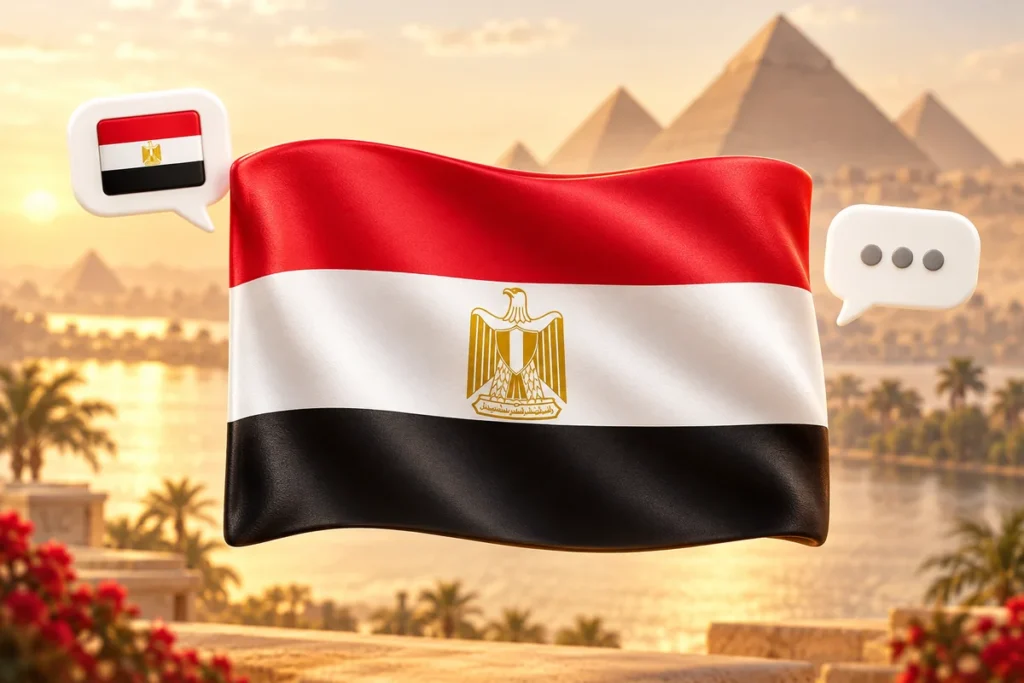
The Egypt flag emoji 🇪🇬 represents Egypt. People use it in messages, social media bios, travel captions, cultural posts, and support for Egyptian teams. Its design follows the national flag: red, white, and black horizontal bands with a golden eagle in the center.
Copy the emoji: 🇪🇬

Egypt Flag Emoji Copy and paste into your message or bio.
The button copies the text emoji. Its appearance after pasting can vary by app or device.
| Quick reference | Details |
|---|---|
| Emoji |
|
| Name | Flag: Egypt |
| Country | Egypt |
| Design | Red, white, and black horizontal bands |
| Central emblem | Golden Eagle of Saladin |
| Two-letter region code | EG |
| Unicode sequence | U+1F1EA U+1F1EC |
| Typical uses | Egyptian identity, travel, culture, food, and sports |
What Does the Egypt Flag Emoji Mean?
The Egyptian flag emoji meaning is a reference to Egypt. The surrounding words explain the person’s connection to the country.
In a profile, it might identify someone’s heritage. In a vacation caption, it might identify a destination. Beside a match-day message, it can show support for Egypt’s team.
These examples illustrate how the same symbol can serve different purposes:
| Context | Example | Likely meaning |
|---|---|---|
| Heritage | “Proud of my Egyptian roots 🇪🇬” | A connection to Egyptian ancestry |
| Travel | “Planning my first trip to Cairo 🇪🇬” | Egypt as a destination |
| Food | “Homemade koshari tonight 🇪🇬” | A reference to Egyptian cuisine |
| Sports | “Cheering for Egypt tonight 🇪🇬⚽” | Support for an Egyptian team |
| Learning | “Starting a project about Egypt 🇪🇬📚” | The subject of a lesson or project |
| Personal bio | “Egyptian-American 🇪🇬🇺🇸” | The identity the writer has chosen to share |
A flag in someone’s bio does not establish their citizenship, current location, or political beliefs. Read the accompanying text before making assumptions.
What Does the Egyptian Flag Look Like?
The flag has three equal horizontal bands: red at the top, white in the middle, and black at the bottom. A golden Eagle of Saladin sits in the center of the white band. The current national flag dates to 1984.
What Do the Flag’s Colors Represent?
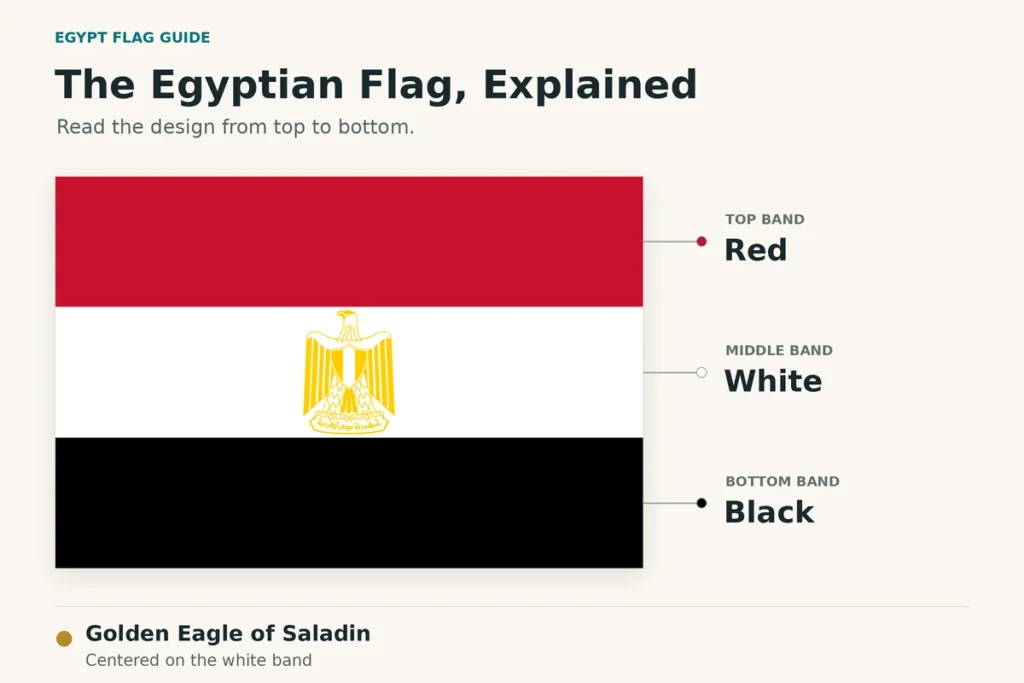
Egypt’s official description explains the colors as follows:
| Color | Position | Symbolism in the official explanation |
|---|---|---|
| Red | Top | Power, hope, and the blood of martyrs |
| White | Middle | A bright future for the country |
| Black | Bottom | Past oppression and occupation, and the struggle against injustice |
What Is the Golden Symbol in the Middle?
The central emblem is the Eagle of Saladin. At emoji size, its fine details may be difficult to see. Different emoji designs can simplify the emblem while retaining the recognizable flag layout.
The symbol represents the modern Egyptian national flag. It is not a hieroglyph or a general symbol for every Arabic-speaking country.
How to Use 🇪🇬 in Messages and Captions
Use the flag beside words that explain whether you mean heritage, a destination, a cultural subject, or a team. The following messages and conversations are illustrative examples.
Egyptian Identity and Heritage
The flag can add a visual reference to a personal introduction:
“Egyptian roots, Chicago home 🇪🇬”
“Egyptian-American and proud of both 🇪🇬🇺🇸”
The written description makes the relationship clear. Two flags alone leave readers to guess whether they represent ancestry, residence, travel, or something else.
Travel Plans and Vacation Captions
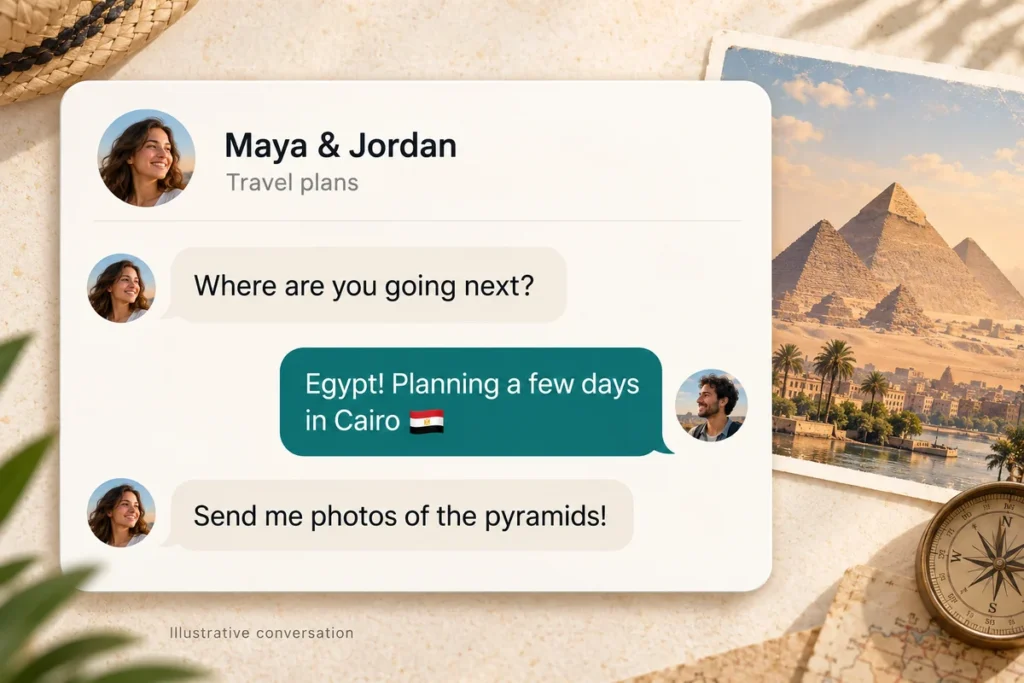
The flag works naturally when the destination is already named:
Maya: “Where are you going next?”
Jordan: “Egypt! Planning a few days in Cairo 🇪🇬”
Maya: “Send me photos of the pyramids!”
Here, the country name and Cairo establish the travel context. The flag reinforces that information.
For a caption, you could write:
“First morning in Cairo 🇪🇬”
“Sorting through my Egypt travel photos 🇪🇬📷”
Keep important place names in words. A flag identifies the country, but it cannot tell someone which city you visited or where a photograph was taken.
Egyptian Food and Culture
Use the flag to identify the country connected with a recipe, book, film, or cultural event:
“Learning to make koshari with my family 🇪🇬🍽️”
“Our book club is reading an Egyptian novel this month 🇪🇬📚”
Naming the dish or subject gives the caption meaning. The flag adds context but does not explain a recipe, identify an author, or describe an entire culture on its own.
Supporting an Egyptian Team
In sports messages, the flag can signal which country you support:
Omar: “Who are you cheering for?”
Leila: “Egypt, of course 🇪🇬⚽”
Pairing the flag with a soccer ball suggests a soccer context. For a specific match, add the team’s name or the fixture in words so readers know which event you mean.
Egypt Flag Emoji Copy and Paste
Copy this complete symbol:
Copy this complete symbol:
On a phone or tablet:
- Touch and hold the emoji until text-selection controls appear.
- Adjust the selection if necessary so it includes the complete flag.
- Tap Copy.
- Open your message, caption, bio, or document.
- Touch and hold the text field, then tap Paste.
On a computer, select the symbol and use Ctrl+C, then Ctrl+V on Windows. On a Mac, use Command+C, then Command+V.
If the emoji appears as two regional-indicator letters, select both together. Copying only one leaves you with an incomplete flag sequence.
Choose text selection rather than an option such as “Copy image.” Copying a flag picture and copying the emoji characters produce different results.
How to Find the Egypt Flag Emoji on Your Device
The keyboard’s layout and search language can vary. If you cannot find the flag in a picker, use the copy-and-paste version above.
On iPhone and iPad
- Tap a text field to open the keyboard.
- Tap the emoji button or use the globe button to switch keyboards.
- If an emoji search field is available, search for Egypt.
- Tap 🇪🇬 to insert it.
You can also browse the flag category. If the emoji keyboard is missing, go to Settings → General → Keyboard → Keyboards → Add New Keyboard → Emoji.
A keyboard using another language may expect the country’s name in that language.
On Android With Gboard
- Open an app where you can type.
- Tap the text field and open Gboard’s emoji panel.
- Search for Egypt if your version provides emoji search, or browse the flags.
- Tap the flag to insert it.
The exact button position depends on your keyboard settings. If Gboard is not your active keyboard, the steps may differ.
On Samsung Galaxy
Open the emoji panel in Samsung Keyboard and browse the flag symbols, or use emoji search where available.
Samsung’s keyboard can also offer stickers and other visual content. Choose the standard flag emoji when you want a symbol within your sentence. A flag sticker may be sent as a separate image instead.
On Mac
In an app with an active text field, choose Edit → Emoji & Symbols to open the Character Viewer. Search for Egypt, then select the flag. You may need to double-click a result in the expanded viewer.
If the search term does not return a result, browse the flags or paste 🇪🇬 directly.
On Windows
Select and copy 🇪🇬 from this page, then paste it into your text field.
Windows key + period (.) opens the Windows emoji panel, but this does not guarantee the Egypt flag will be available there or appear as a colored flag after pasting. Display support depends on the software and fonts in use.
Check the result in the app where you intend to use it.
Why Does the Egypt Flag Emoji Show EG?
The flag is built from two special characters called regional indicators, corresponding to E and G. Software that supports the pair as a flag can display 🇪🇬. Other software may show the two indicators separately, making them look like EG, or display missing-character boxes.
This can happen even when you copied the correct sequence. A different-looking result does not automatically mean the emoji was deleted or the clipboard failed.
Why Typing Ordinary EG Does Not Create the Flag
The regular letters E and G are different characters from the regional indicators used in the emoji.
Typing “EG” on a normal keyboard does not itself create 🇪🇬. An app might offer a replacement or suggestion, but that would be an app feature. To insert the actual emoji, choose it from an emoji picker or copy the complete symbol.
Troubleshooting Display Problems
| What you see | Possible explanation | What to try |
|---|---|---|
| Letters resembling EG | The software is displaying the regional indicators separately | Check the same text in another app or on another device |
| A single regional-indicator letter | Only part of the sequence was selected | Copy the complete emoji again |
| Empty boxes or missing symbols | The app or font may lack support | Update the relevant app or system and check another supported text field |
| A flag in one app but letters in another | The apps use different rendering support | Review the result in the destination app |
| A large picture sent separately | You selected a sticker, GIF, or image | Insert the standard text emoji instead |
| No result when searching “Egypt” | Keyboard language, picker contents, or search support may differ | Browse the flag category or copy the symbol from this page |
Updates can help with some compatibility problems, but they do not guarantee that every app will render the flag. If the picture itself must remain consistent, use a flag image where image uploads are supported.
Egypt Flag Emoji vs. Images and Stickers
An emoji is text. A PNG, WebP, or SVG flag is an image asset. Both can depict Egypt’s flag, but they behave differently.
| Format | Useful for | Main difference |
|---|---|---|
| Text emoji 🇪🇬 | Messages, captions, and bios | Can sit within text; its artwork depends on rendering support |
| PNG or WebP image | Blog illustrations and graphic layouts | The supplied artwork stays consistent, but must be inserted as an image |
| SVG image | Flag graphics that need to scale | Uses vector artwork and requires support for that image format |
| Sticker or GIF | Visual reactions in compatible apps | May be sent separately from the written message |
For a short bio, a text emoji is usually convenient. For a blog graphic showing the eagle in detail, a clear flag image is more suitable.
Can I Copy the Flag Emoji From a Screenshot?
Copying a screenshot usually copies an image, not the original emoji text. Text-recognition features may recognize some screenshot content, but they are not a reliable way to recover this flag sequence.
For a caption or message, copy the live 🇪🇬 text instead of a picture of it.
Egypt Flag Emoji Combinations and Caption Ideas
Pair the flag with another emoji when it adds useful context. These combinations are suggested caption ideas, not separate official emoji or fixed definitions.
| Combination | Possible use | Example caption |
|---|---|---|
| 🇪🇬✈️ | Travel to Egypt | “Planning my Egypt adventure 🇪🇬✈️” |
| 🇪🇬📷 | Photos taken in Egypt | “A few favorite moments from Cairo 🇪🇬📷” |
| 🇪🇬⚽ | Support for Egyptian soccer | “Cheering for Egypt tonight 🇪🇬⚽” |
| 🇪🇬🍽️ | Egyptian food | “Trying an Egyptian recipe this weekend 🇪🇬🍽️” |
| 🇪🇬📚 | Learning about Egypt | “Today’s reading: modern Egyptian literature 🇪🇬📚” |
| 🇪🇬🇺🇸 | A stated connection to Egypt and the US | “Egyptian-American, with family stories from both places 🇪🇬🇺🇸” |
These symbols suggest a subject; the words establish the specific meaning. For example, 🇪🇬✈️ alone does not tell readers whether someone is departing, arriving, or planning a future trip.
Unicode and Technical Details
The Egypt flag emoji Unicode sequence contains these two code points in order:
| Component | Code point | Character name |
|---|---|---|
| Regional indicator E | U+1F1EA | REGIONAL INDICATOR SYMBOL LETTER E |
| Regional indicator G | U+1F1EC | REGIONAL INDICATOR SYMBOL LETTER G |
Together, they form the flag sequence 🇪🇬. It does not require a zero-width joiner between the indicators. Keep the two components together without inserting a space.
The sequence identifies the region; the software supplies the visible artwork. Copying it therefore does not transfer the sender’s exact flag drawing to the recipient.
Does EG Mean the Same Thing as EGY?
EG and EGY identify Egypt in different country-code systems, but this emoji uses the two-letter region code EG.
You might encounter EGY in other contexts, including sports. Adding a third regional indicator for Y does not turn the pair into a more complete Egypt flag emoji.
Frequently Asked Questions
Is 🇪🇬 a Flag for the Arabic Language?
No. It represents Egypt. Arabic is used in multiple countries, so the Egyptian flag does not represent every Arabic speaker. For a language label, writing “Arabic” makes the intended meaning clearer.
Can I Use the Egypt Flag Emoji in an Instagram Bio?
You can paste it into a bio field that accepts emoji. Save the change and check how it appears. Use accompanying words if readers need to understand whether it refers to your heritage, location, or interests.
How Do I Add the Egypt Flag Emoji to WordPress?
Paste 🇪🇬 into a text block where you want it to appear, then preview the page. Check the published appearance in the browsers or devices relevant to your readers. Uploading a WebP flag graphic creates an image; it does not insert the text emoji.


Pingback: Emoji Alphabet A–Z: Copy and Paste Letters and Picture Codes