An emoji alphabet can mean A–Z letter symbols or a picture code that assigns an emoji to each letter. Copy the alphabet below, then choose a style for your name, message, or puzzle. Unicode does not provide one matching set of 26 standalone letter-button emojis.
Emoji Alphabet A–Z: Copy and Paste
For decorative spelling, start with the boxed letters. Regional indicators offer another A–Z set, but adjacent pairs can become flags. Keep the visible spaces when using them to spell words.
Copy the boxed-symbol alphabet:
Copy the regional-indicator alphabet with spaces:
Keep spaces between regional indicators so adjacent letters do not pair into flags. Appearance varies by app and device.
To copy individual letters, select the character from your preferred column:
| Letter | Boxed text symbol | Regional indicator |
|---|---|---|
| A | 🄰 | 🇦 |
| B | 🄱 | 🇧 |
| C | 🄲 | 🇨 |
| D | 🄳 | 🇩 |
| E | 🄴 | 🇪 |
| F | 🄵 | 🇫 |
| G | 🄶 | 🇬 |
| H | 🄷 | 🇭 |
| I | 🄸 | 🇮 |
| J | 🄹 | 🇯 |
| K | 🄺 | 🇰 |
| L | 🄻 | 🇱 |
| M | 🄼 | 🇲 |
| N | 🄽 | 🇳 |
| O | 🄾 | 🇴 |
| P | 🄿 | 🇵 |
| Q | 🅀 | 🇶 |
| R | 🅁 | 🇷 |
| S | 🅂 | 🇸 |
| T | 🅃 | 🇹 |
| U | 🅄 | 🇺 |
| V | 🅅 | 🇻 |
| W | 🅆 | 🇼 |
| X | 🅇 | 🇽 |
| Y | 🅈 | 🇾 |
| Z | 🅉 | 🇿 |
The boxed column contains Unicode text symbols. These outlined letters are not a set of 26 standard colored emojis, as their classification in Unicode’s emoji data confirms. Their font, outline, and size can change after pasting.
Different alphabet styles serve different purposes:
| Style | Useful for | Main limitation |
|---|---|---|
| Boxed text symbols | Decorative names, initials, and short words | Font support and appearance vary |
| Regional indicators | Separate letter-like symbols or region-flag sequences | Adjacent pairs may display as flags |
| Existing letter-button emojis | A few initials and context-specific symbols | There is no complete matching A–Z set |
| Custom picture codes | Word games and messages using an agreed key | Pictures do not have universal letter assignments |
An alphabetical emoji list is another kind of resource: it groups emoji by names beginning with A, B, C, and so on. That differs from selecting one symbol to replace each letter in a word.
What Do Letter Emojis Mean?
Some established emoji already contain letters. Their documented meanings explain what they represent before someone borrows them for decorative spelling. The surrounding message still matters: a letter-shaped icon can identify a subject, a sign, or an initial.
Letter Buttons and Their Meanings
| Emoji | Name or established meaning |
|---|---|
| 🅰️ | A button, referring to blood type A |
| 🅱️ | B button, referring to blood type B |
| 🅾️ | O button, referring to blood type O |
| 🆎 | AB button, referring to blood type AB |
| 🅿️ | P button, associated with parking |
| Ⓜ️ | Circled M |
| ℹ️ | Information |
Someone might use 🅰️ as the first letter of a decorated name. In a conversation about blood donation, however, the same symbol may refer to blood type A. Read the words around the emoji before deciding which meaning fits.
Likewise, choosing a copyright sign because its C is visible does not change its established meaning. Decorative substitution is a choice made by the writer.
Letter-Input Symbols and Case
The symbol sometimes called the ABC emoji is 🔤, named “input Latin letters.” These three icons represent related kinds of letter input:
| Emoji | Name | Meaning |
|---|---|---|
| 🔤 | Input Latin letters | Latin-alphabet letter input |
| 🔠 | Input Latin uppercase | Uppercase letter input |
| 🔡 | Input Latin lowercase | Lowercase letter input |
Each icon is one complete emoji. You cannot select the individual letters drawn inside it.
In an illustrative caption such as “Alphabet practice today 🔤,” the icon identifies the activity. Pasting 🔠 into a message does not capitalize that message; it remains a symbol within the text.
How to Spell Names and Words With Emoji Letters
Write the ordinary spelling first, then replace its letters using one consistent style. This gives you a reference for checking the result, especially when unfamiliar symbols make a missing or repeated letter harder to notice.
Names, Initials, and Bios
The name Sara can be written as 🅂🄰🅁🄰 with boxed symbols or 🇸 🇦 🇷 🇦 with separated regional indicators. A short greeting such as HI becomes 🄷🄸 in the boxed style.
To create your own version:
- Write the complete name or word in ordinary letters.
- Choose one column from the copy-and-paste chart.
- Copy the matching characters in their original order.
- Preserve spaces between regional indicators.
- Compare the result with the original spelling and preview it in the destination app.
For an emoji alphabet in a bio, keep the ordinary name visible. Here is an illustrative profile line:
Sara | 🅂🄰🅁🄰 | Book lover 📚
A username, display name, and bio can accept different characters. Check the specific field you are editing. If it rejects a decorative symbol, use an accepted spelling there and consider a short decoration in a supported display-name or bio field.
How Emoji Alphabet Generators Work
A typical emoji alphabet generator replaces input letters with selected Unicode symbols or picture substitutions. It changes the characters you copy; it does not install a font on the recipient’s phone or computer.
Check the chosen output style before copying a long name. See how the tool handles spaces, punctuation, digits, and accented letters. A useful result should preserve the spelling you intended or make unsupported characters apparent.
An emoji alphabet translator using pictures also needs a defined key. Without that key, its output may be a puzzle with several possible interpretations.
Emoji Alphabet Code: Create and Decode Picture Messages
An emoji alphabet code assigns a picture or symbol to each letter. The reader then uses the same assignments to recover the word. This works well for a word game when both people can see the key.
An A–Z Picture Code With English Cues
The following original example uses English cue words. Apple stands for A, bear for B, and cat for C. These are assignments for this code, rather than universal meanings attached to the emojis.
| Letter | Emoji | English cue |
|---|---|---|
| A | 🍎 | Apple |
| B | 🐻 | Bear |
| C | 🐱 | Cat |
| D | 🥁 | Drum |
| E | 🥚 | Egg |
| F | 🐸 | Frog |
| G | 🦒 | Giraffe |
| H | 🏠 | House |
| I | 🧊 | Ice |
| J | 🃏 | Joker |
| K | 🔑 | Key |
| L | 🦁 | Lion |
| M | 🌙 | Moon |
| N | 👃 | Nose |
| O | 🐙 | Octopus |
| P | 🍕 | Pizza |
| Q | ❓ | Question mark |
| R | 🤖 | Robot |
| S | ☀️ | Sun |
| T | 🐢 | Turtle |
| U | ☂️ | Umbrella |
| V | 🎻 | Violin |
| W | 🧇 | Waffle |
| X | 🩻 | X-ray |
| Y | 🪀 | Yo-yo |
| Z | 🦓 | Zebra |
Use the cue column consistently. For example, 🌙 stands for M because the chosen cue is moon, even though someone might describe the picture as a crescent moon. Similarly, ❓ represents Q because the cue is question mark.
Another code could choose different pictures. Share this exact chart before sending a message instead of assuming the recipient will make the same associations.
Encode and Decode a Message
To encode CAT:
- Write the word in ordinary letters: C, A, T.
- Find each letter in the key: cat, apple, turtle.
- Replace the letters in order: 🐱🍎🐢.
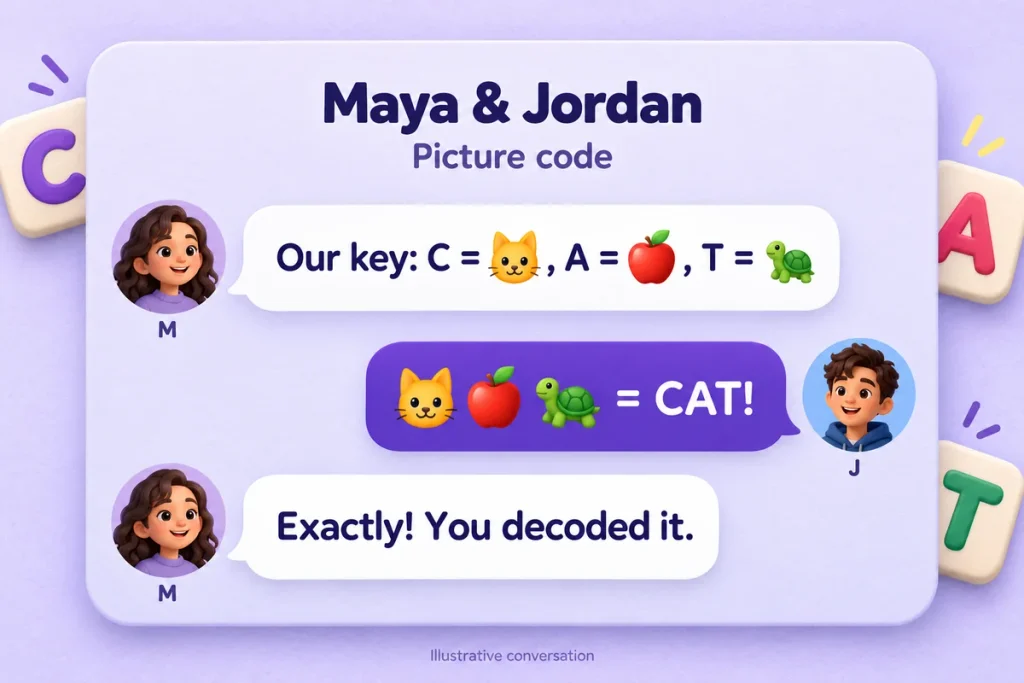
This illustrative conversation shows why agreeing on the key helps:
Maya: “Our key uses cat for C, apple for A, and turtle for T.”
Jordan: “Then 🐱🍎🐢 spells CAT!”
To decode 🐢🥚🍎🌙:
- Match each picture to its cue: turtle, egg, apple, moon.
- Take the assigned letters: T, E, A, M.
- Read the result: TEAM.
For more than one word, agree on a visible separator. In this example, 🐱🍎🐢 / 👃🍎🍕 means CAT NAP. The slash separates words by agreement; it is not a universal emoji-code rule.
First-Letter Codes and Look-Alike Symbols
A first-letter code depends on a chosen word: 🍎 becomes A because “apple” begins with A. A look-alike alphabet instead chooses a symbol because its artwork resembles a letter, such as using © for C.
Both methods can support creative spelling, but they require different clues. If you mix them, explain every assignment in the key. A reader should not have to guess whether to identify a picture, read a visible letter, or interpret its shape.
The language matters, too. An English cue does not automatically work in another language, where the same object may have a name beginning with a different letter.
Why Emoji Letters Become Flags or Look Different
Copying the correct characters does not guarantee identical artwork. Some characters have special pairing behavior, while others depend on the fonts available in the destination app. Identifying which issue you have makes the next step clearer.
How Regional Indicators Form Flags
Regional-indicator symbols are the A–Z components used in many country and region flag sequences. Unicode describes their pairing behavior, which explains why two adjacent indicators can display as one flag on supporting software.
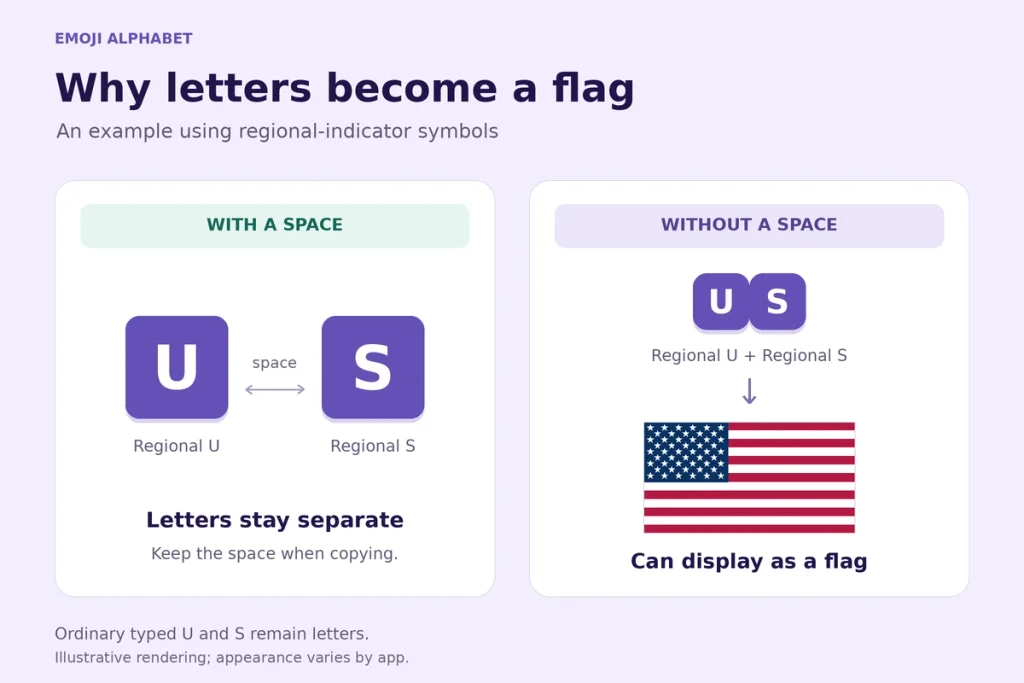
| Arrangement | Example | Expected behavior |
|---|---|---|
| Regional U, space, regional S | 🇺 🇸 | Two separated indicator symbols |
| Regional U directly beside regional S | 🇺🇸 | US flag on supporting software |
| Boxed U directly beside boxed S | 🅄🅂 | Two boxed symbols without regional-flag pairing |
Keep a visible space between regional indicators when spelling. Removing the space changes which characters are adjacent.
Ordinary typed US contains different characters from the flag sequence. An app may offer its own replacement shortcuts, but typing ordinary letters does not itself construct the regional-indicator pair.
The Egypt flag emoji uses regional E and G. Its device guide provides another example of why a flag may appear as letters.
Why Appearance Varies by Device
The operating system, browser, app, and available fonts affect how a character is drawn. A symbol that appears colored in one app may look monochrome or have a different outline elsewhere.
Microsoft’s emoji documentation explains that flag display depends on the browser, operating system, and font. A letter-like result therefore does not automatically mean the copied sequence is incorrect.
Preview your text in the app where it will be read. Checking a browser alone cannot establish how a messaging app or profile field will render it.
Common Display Problems and Fixes
| Problem | Possible cause | Practical next step |
|---|---|---|
| Letters become a flag | Regional indicators are adjacent | Insert visible spaces between them |
| Empty boxes appear | An available font or app lacks support | Check another app or updated software; use ordinary letters if needed |
| Some letters are colored and others are not | Emoji-enabled characters are mixed with text symbols | Choose one style and preview the complete word |
| A field rejects the text | The field restricts accepted characters | Use a spelling that the field accepts |
| A separate picture appears | An image or sticker was copied | Select the live text characters instead |
| A letter or space is missing | The selection omitted part of the text | Copy again and compare with the original spelling |
The negative-squared alphabet illustrates the mixed-color problem: its A, B, O, and P characters have emoji properties, while the other letters in that particular set are not standard emoji.
Adding an emoji-style variation selector to an arbitrary letter symbol does not create a standardized colored emoji. If matching custom artwork is essential, a designed alphabet image or supported custom-emoji pack may suit that purpose.
How to Copy and Share Emoji Letters
Use the selectable characters in the chart and include any spaces needed for the result you want. Copying one symbol at a time can be easier when a phone selects an entire table row.
Copying on iPhone and Android
The controls vary by app, but a typical copying sequence is:
- Touch and hold the character or sequence.
- Adjust the selection handles to include the intended text.
- Tap Copy.
- Open the destination field, touch and hold, then choose Paste.
Review the pasted text before sending. Your emoji keyboard may not expose every decorative character in this guide, so an unsuccessful keyboard search does not establish that the character cannot be pasted.
Copying on Windows and Mac
Select the required characters with your mouse or keyboard, then use the appropriate shortcuts:
| Computer | Copy | Paste |
|---|---|---|
| Windows | Ctrl+C | Ctrl+V |
| Mac | Command+C | Command+V |
Windows also provides an emoji panel through Windows key + period. On Mac, Edit → Emoji & Symbols opens Apple’s Character Viewer.
These tools help browse available symbols, but they do not guarantee that every letter style appears in a particular category. Copying from the chart supplies the specific characters shown here.
Keeping Names and Messages Accessible
Assistive software may announce a picture’s or symbol’s name rather than the letters you assigned to it. Exact announcements depend on the software and its settings. Our picture code 🐱🍎🐢 therefore does not automatically become the spoken word “cat.”
W3C’s emoji accessibility guidance explains why intended meanings sometimes need a text alternative. Keep an ordinary-text version beside important names, instructions, and messages.
For profiles, “Sara | 🅂🄰🅁🄰” preserves an immediately recognizable spelling. For a picture-code activity, provide the key and a plain-text answer where appropriate.
Choose one alphabet style, check the spelling, and preview the result where it will be used. When sending a picture code, share the key and preserve word boundaries so the recipient has everything needed to decode it.
Frequently Asked Questions
Does This Alphabet Include Lowercase or Accented Letters?
The two letter sets shown here cover A–Z with uppercase-looking symbols. They do not provide matching lowercase or accented versions. For a name such as Zoë, keep the ordinary spelling visible rather than silently changing ë to E. Other Unicode alphabets have their own characters and limitations.
Is There an A–Z Keycap Emoji Alphabet?
Standard emoji keycaps cover digits 0–9 and the # and * symbols. There is no equivalent standard A–Z letter-keycap set. A boxed letter, a custom picture of a key, and a number keycap are different kinds of content.
Can I Copy These Letters From a Screenshot?
Copying the screenshot itself copies an image. Use the selectable chart to preserve the actual characters. If a screenshot shows a style you want, identify that style and copy the matching letters here rather than assuming the image contains editable alphabet text.
Are Discord Alphabet Emojis the Same as These Letters?
A Discord alphabet pack may consist of custom emojis uploaded as images. Those assets differ from the Unicode characters in the copy chart. Their availability and use depend on Discord’s custom-emoji features, and their artwork does not become universally pasteable text.