
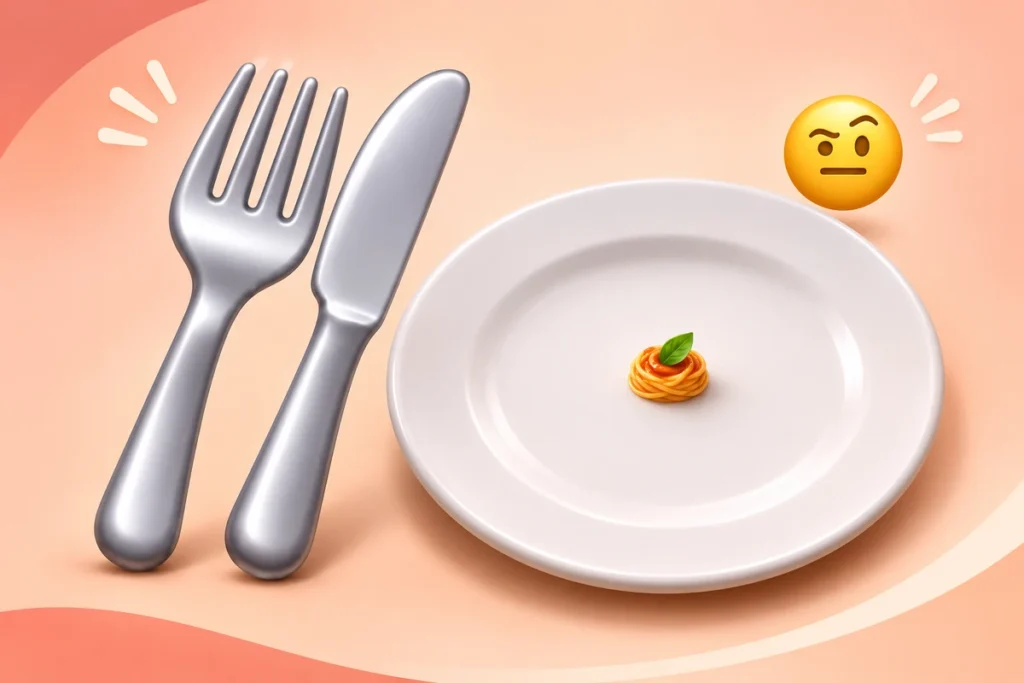
The fork and knife emoji 🍴 usually means food, eating, or dining. Add it to “Lunch after the meeting?” and you’ve got a casual invitation. Put it under a photo of golden roast potatoes, and it can read more like “Save me a plate.” The words and the situation give the little set of cutlery its meaning.
You might also see 🍽️, fork and knife with plate. That version adds a place setting, which suits a dinner-table photo or a dish ready to serve. Both work for meals. Choosing between them usually comes down to what you’re sharing.
Copy and Paste 🍴 or 🍽️
Click Copy beside an emoji, then paste it into your message, caption, or profile. You can also select the symbol and copy it manually. On a phone, touch and hold the text, then drag the selection handles around just the emoji. On a computer, highlight it and use your usual copy shortcut. Leave a space before an emoji at the end of a sentence.
Unicode, HTML codes, and shortcode
Unicode groups Fork and Knife under Food & Drink → Dishware.
| Format | Value for 🍴 |
|---|---|
| Unicode code point | U+1F374 |
| HTML decimal entity | 🍴 |
| HTML hexadecimal entity | 🍴 |
| JavaScript escape | \u{1F374} |
| Common shortcode | :fork_and_knife: |
Use the HTML values when editing a web page’s source. For a normal message or caption, copying 🍴 directly is the easiest option. The shortcode works in software that recognizes that name, including GitHub’s emoji system. Another text field may display the code exactly as you typed it. 🍴 is a single Unicode code point that represents both utensils.
What Does 🍴 Mean in a Text?
Start with the sentence around it. “I’m starving 🍴” sounds like someone ready for a meal. “Lunch at 12:30? 🍴” asks you to make a plan. Beneath a food photo, the same emoji can be an enthusiastic reaction to something that looks delicious.
These examples are fictional.
| Example message | What 🍴 adds |
|---|---|
| “Lunch at 12:30? 🍴” | An invitation with a proposed time. |
| “Taking my lunch break 🍴 Back in 30.” | A meal-break update, including when the sender will return. |
| “Those crispy potatoes look unreal 🍴” | A reaction to food that looks appetizing. |
| “All I’ve had today is coffee 🍴” | A possible hint that the sender is hungry or ready to eat. |
| “Trying the new diner this weekend 🍴” | Excitement about eating somewhere new. |
Nina asks “Lunch at 12:30? 🍴” and Eli replies “Works for me.” They’ve settled the time. A quick “Where should we meet?” would finish the plan.
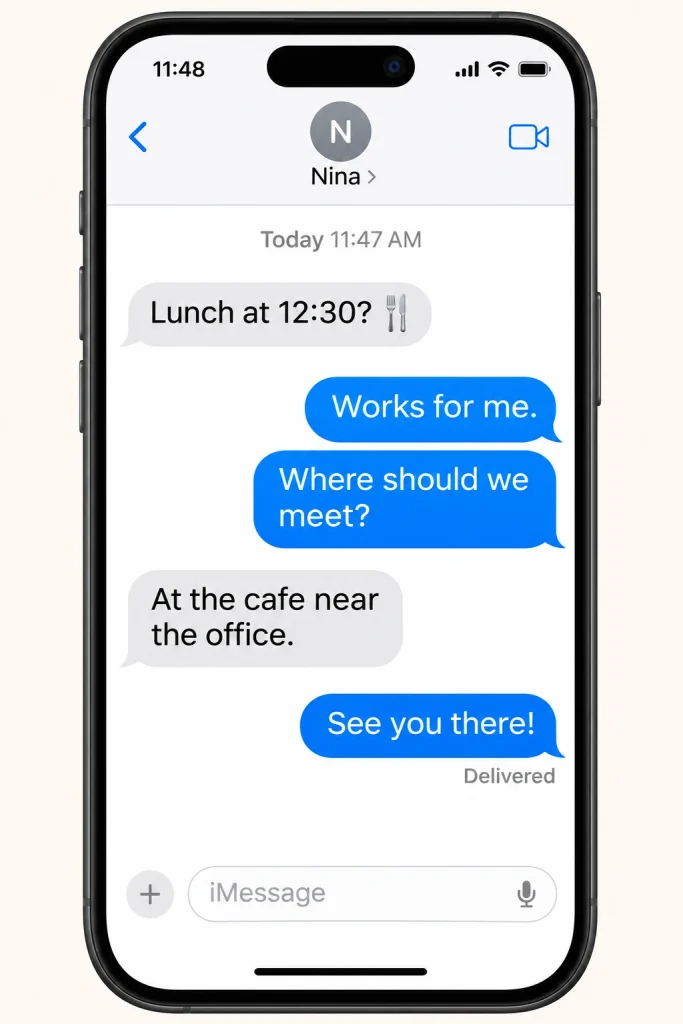
Illustrative lunch conversation.
When someone sends just 🍴
Go back a message or two and see what prompted it. Suppose Maya shares a café link, then Omar replies “🍴?” a few hours later. He might be asking if she wants to go there today or checking whether their earlier lunch idea still stands. “Are you thinking of going there today?” is an easy way to find out.
Now imagine Maya had posted a photo of lasagna. Omar’s 🍴 could sound more like “I’d eat that.” The picture gives his reply a different starting point. If there’s no food conversation to go on, you can simply ask, “Are you ready to eat?” That gives the other person something clear to answer.
How to reply to a meal invitation
If the suggested time works, “I’m free at 12:30. Where should we meet?” is a straightforward reply. If a later time suits you better, offer it. “I can do 1:15 if that works” gives your friend a choice they can respond to.
In a group chat, the organizer may also need a head count. “Count me in. Can I bring Sam?” helps them work out the size of the table. For someone reacting to your dinner photo, a friendly “Want the recipe?” picks up on their interest in the food.
The Difference Between 🍴 and 🍽️
Look for the plate. 🍴 shows a fork and a table knife. 🍽️ shows the utensils arranged around a plate. Their meanings overlap, so either one can fit dinner plans, a restaurant outing, or a meal at home.
| Emoji | What it shows | Example use |
|---|---|---|
| 🍴 Fork and knife | A fork and a table knife | “Anyone free for lunch? 🍴” |
| 🍽️ Fork and knife with plate | A place setting with a plate between the utensils | “First course is ready 🍽️” |
“Sunday dinner 🍴” works as a quick note about eating together. “Sunday dinner 🍽️” also works, especially beside a photo of the table you’ve set for guests. The plate echoes the place setting in the picture. The cutlery on its own gives a broader cue about eating.
That plate is a handy detail to look for when you’re trying to identify an unfamiliar symbol. Phone software can change the shape and shading of the utensils. The plate version has its own Unicode character, so you can choose it deliberately even if your phone draws the artwork a little differently.
How 🍴 fits alongside cooking and other utensil emojis
A breakfast post might begin with “Eggs are sizzling 🍳,” move to “Bowls are on the table 🍽️,” and end with “Come eat while it’s hot 🍴.” Each emoji fits a different moment, from cooking to serving to asking people to join you.
🥄 brings a spoon into the picture, which suits soup, pudding, or a spoonful of something in a recipe. 🔪 is the kitchen knife emoji, useful beside words about slicing or chopping ingredients. When the post is about sitting down to eat, 🍴 gives you a general dining cue.
You can use 🥢 when chopsticks are part of the meal you’re showing. Let the photo or situation guide your choice, and name the dish in the caption when that detail would help someone understand the post.
How to Use 🍴 in Messages and Captions
Give people a plan they can answer
A group chat can go from “We should get food” to five suggestions and no decision surprisingly quickly. If you have a place in mind, try “Lunch at the market at noon? 🍴” If you’d rather let the group choose, narrow it down with “Sandwiches or noodles after the meeting? 🍴”
The emoji works just as well for dinner at home. “I’m making tacos tonight 🍴 Can you bring salsa?” tells your guest what’s on the menu and how they can help. “Soup’s ready 🍴” is enough when everyone already knows where they’re eating.
For a reservation or a bigger group, add the detail you need people to act on. “Table at the diner at 7 🍴 Can you let me know by 5 if you’re coming?” gives them an arrival time and a deadline to reply. If the location is unfamiliar, include a meeting point so they can find you without scrolling through earlier messages.
Give your food caption one detail worth reading
Think about the part of the meal you’d mention to a friend. “The onions got crisp around the edges 🍴” gives someone a detail they can almost taste. For a restaurant caption, “I’d go back for the lemon potatoes alone 🍴” points to the dish you enjoyed.
A home-cooking post can offer a small idea for someone else’s dinner. “I finished the roasted carrots with a squeeze of lime 🍴” tells readers something they could try. You can do the same with takeout. “The fried chicken stayed crisp all the way home 🍴” says something useful about the meal after pickup.
Even a simple description can be enough. “Two bowls of tomato soup and the last of the sourdough 🍴” gives a dinner photo a little of the evening around it. Choose the detail that feels true to what you’re sharing.
Signal a meal break with a return time
In a work or study chat, “Off for lunch 🍴 Back at 1:15” lets people know when to expect a reply. It’s brief, and it answers the question a teammate is likely to have while you’re away.
If you’re handing something over before lunch, add what the other person needs. “The notes are in the shared doc. I’ll check replies after lunch 🍴” tells them where to look in the meantime. The emoji gives the update a casual tone.
Label a menu or schedule with words
“🍴 Weekend lunch menu” makes an easy heading to scan. For an event schedule, “🍴 Lunch break, 12:15–1:00, Room B” includes the time and location in the line people will look for.
Keep those practical details in text when you share the schedule elsewhere. The same idea works for a profile. “Trying one new lunch spot a week 🍴” tells someone about your interest and gives them a possible conversation starter.
Fork and Knife Emoji Combinations
Pair 🍴 with a food, occasion, or time cue when you want to add another detail. These combinations are starting points for your own plans and captions.
| Combination | Fits a post about | Example |
|---|---|---|
| 🍴🥞 | Breakfast or brunch | “Blueberry pancakes on a slow Sunday 🍴🥞” |
| 🍴🍝 | A pasta meal | “Baked ziti for dinner tonight 🍴🍝” |
| 🍴🌽 | Corn on the grill | “Grilled corn is ready for the cookout 🍴🌽” |
| 🍴🍱 | A packed lunch | “Tomorrow’s lunch is packed and in the fridge 🍴🍱” |
| 🍴🎂 | A birthday meal with cake | “Birthday dinner first, chocolate cake after 🍴🎂” |
| 🍴⏰ | Time to take a meal break | “Lunch break at 1:00 🍴⏰” |
| 🍴📍 | A meal and a meeting point | “Meet by the bakery for lunch 🍴📍” |
Choose the pairing around what you want someone to notice. In a shared trip note, “Pack lunch for the train 🍴🍱” reminds people to bring food. Under a cookout photo, 🌽 draws attention to the ingredient. You can use the caption to share how you prepared it, perhaps brushing the corn with lime butter before serving.
Why 🍴 Can Look Different Across Apps
You may notice that the utensils look a little different after you paste them into another app. Apple, Google, and Samsung software can use different artwork, and some apps provide their own emoji images. The cutlery might stand upright in one design and sit at an angle in another.
Unicode’s chart for 🍴 also allows for a drawing with crossed utensils. Copying the emoji transfers the character, and the app and its fonts decide which artwork you see.
Why the plate emoji may look like plain text
🍴 uses U+1F374, while the plate version starts with U+1F37D. The plate character can be followed by a small invisible character called a variation selector. That selector asks the app to use either emoji or text styling.
| Symbol | Unicode sequence | Display request |
|---|---|---|
| 🍴 | U+1F374 | Fork and knife |
| 🍽️ | U+1F37D U+FE0F | Plate in emoji style |
| 🍽︎ | U+1F37D U+FE0E | Plate in text style |
If you expected emoji artwork and got a plain-looking plate, try copying the full 🍽️ from the copy section again. The emoji-style selector goes with it when you copy the complete symbol. Software that supports that request can then use it when drawing the plate.
How to check a pasted emoji
- Copy 🍴 or 🍽️ from the copy section. If the button can’t access your clipboard, select and copy the visible emoji text.
- Paste it into a new message or a plain-text field. Once the intended symbol appears there, try it in the app where you want to use it.
- If an app shows a square or a plain outline, view the same pasted character in another app. Different fonts can draw it differently. Keep meal details in words when you’re writing a menu or invitation, so everyone can follow the message.
For your next meal text, pick the emoji that suits the scene. 🍴 works for everyday food plans, and 🍽️ fits a table setting or plated dish. “Tacos at mine at seven? 🍴” tells your friend what they need to know. If they reply “I’ll bring the salsa,” dinner is coming together.
Frequently Asked Questions
What is the silverware emoji called?
🍴 is called fork and knife. If your emoji keyboard has search, try “fork” or “cutlery.” For 🍽️, search “plate” and look for the place setting. A quick glance at the preview will help you pick the one you want.
Does 🍴 mean someone is asking you on a date?
Read the invitation for clues. “Dinner for just the two of us Friday? 🍴” feels more personal than “Team lunch Friday? 🍴.” The cutlery points to food in both messages. If you’re unsure about the invitation, ask who’s coming or what the person has in mind.
Can I use 🍴 for takeout or leftovers?
Yes. “Picking up dumplings on the way home 🍴” suits a takeout plan, and “Last night’s chili for lunch 🍴” fits a meal at home. You can use it wherever eating is the focus.
Is a restaurant’s fork and knife icon the same as 🍴?
Maps, menus, and restaurant websites can use their own cutlery artwork. On a map, tap the place marker or check its label to see which location it’s pointing to. In a text or caption, 🍴 is a Unicode character you can select, copy, and paste into another message.
When was the fork and knife emoji added?
🍴 was encoded in Unicode 6.0, released on October 11, 2010. That release brought many symbols used in Japanese mobile messaging into the international standard. Software vendors supplied their own artwork to display the character in messages and other text.